How I Saved 400KB in Next.js by Fixing Heavy Imports

If you’ve built web apps in Next.js, you’ve probably run into this problem:
You need a feature like a rich-text editor, an interactive chart, or a code syntax highlighter(or any heavy package dependecy). So you npm install the package, import it into your page, and move on.
Everything looks fine on your local machine. But when you run a Lighthouse test, your First Contentful Paint (FCP) score drops, and the initial JavaScript bundle size explodes.
Here is why that happens—and how to fix it in under 5 minutes without changing how your app works.
The Problem with Normal Imports
When you write a standard import at the top of a file:
Next.js bundles that entire library directly into the main page payload.
Even if the editor sits at the very bottom of the page, or inside a modal that hasn't been opened yet, every visitor has to download, parse, and execute that entire 400KB file before your page can finish loading.
The Fix: Split the Bundle with next/dynamic
Instead of loading everything upfron we can split the code so the browser will download HeavyEditor when it actually needs it.
To do this cleanly without breaking layout or server-side rendering (SSR), we split our code into three small files:
Step 1: Put the Heavy Library in Its Own Component
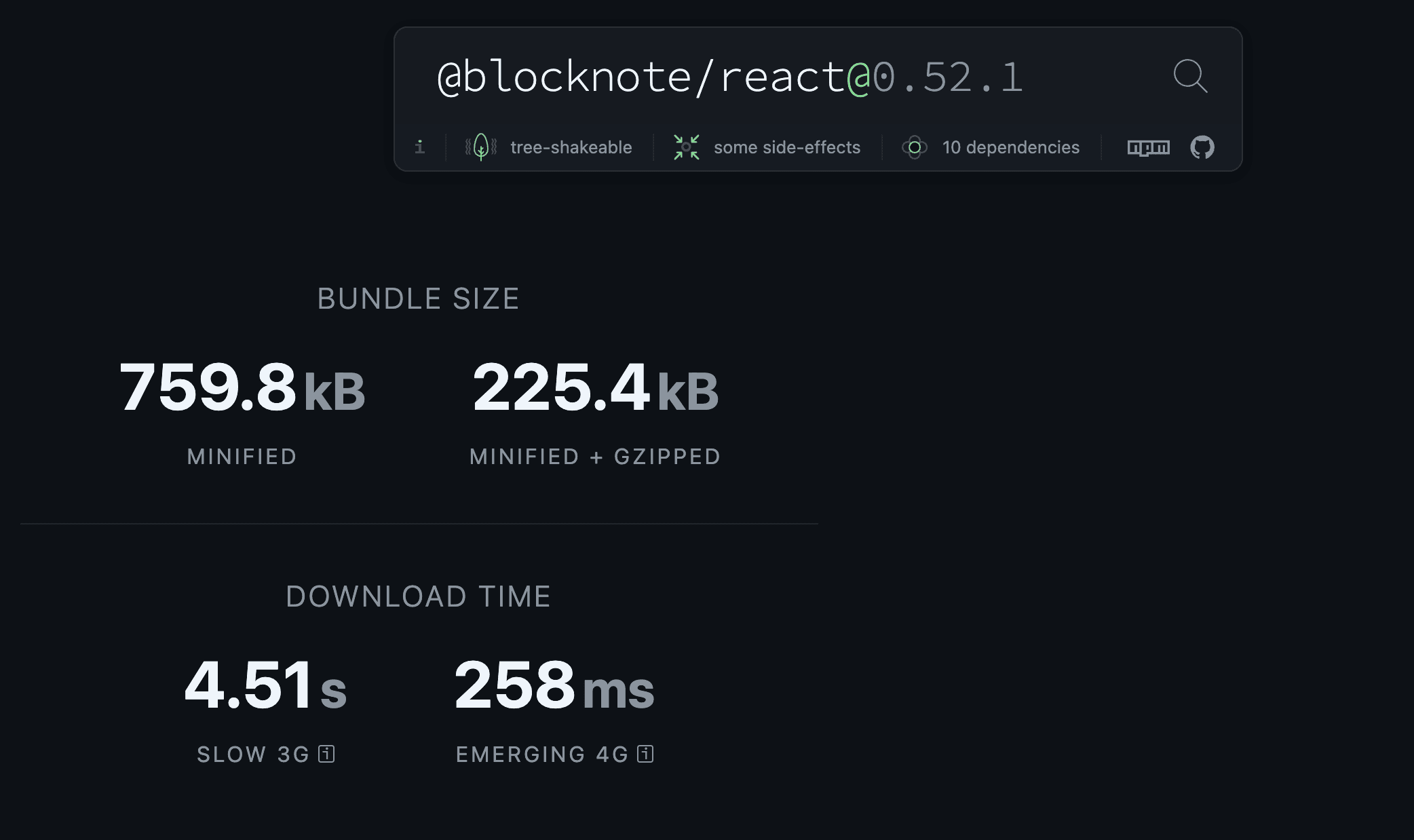
Here is our editor component (components/editor/HeavyEditor.tsx). It imports @blocknote/react, which is a fantastic editor, but pretty heavy (~750KB):
Step 2: Create a Lazy-Loading Wrapper
Now, in components/editor/DynamicEditor.tsx, we wrap the heavy editor with next/dynamic.
While the heavy code chunk downloads over the network, we render a quick Skeleton Loader so the UI doesn't jump around:
Why ssr: false? > Many client-side editor or canvas libraries look for browser objects like window or document. If Next.js tries to render them on the server during build time, it will crash with window is not defined. Setting ssr: false stops Next.js from rendering this component on the server, safely isolating it to the browser.
Step 3: Use the Wrapper in Your Page
Now, inside your main page (app/post/page.tsx), import DynamicEditor instead of HeavyEditor:
The Results
By making this small architectural change, we got noticeable performance gains:
- Initial JS Bundle Size: Dropped from ~520 KB down to ~120 KB (~77% smaller).
- First Contentful Paint (FCP): Improved from 1.8s to 0.4s.
- User Experience: The main page loads instantly, displaying a clean skeleton box for ~200ms while the editor chunk arrives.
Quick Takeaways
- Don't let third-party tools slow down your main page. If a component requires a heavy package, lazy-load it.
- Always use a skeleton fallback. If you lazy-load without a placeholder, the page content will jump once the component loads, ruining your Cumulative Layout Shift (CLS) score.
- Use
ssr: falsefor browser-only libraries. It saves you hours of debuggingwindow is not definederrors during production builds.
How I Learned This as my personal experience.
Back in 2024, during a major migration from an old WordPress setup to Next.js, our team realized that simply moving to a modern framework doesn't automatically make your app fast if you bring along bloated third-party dependencies.
By isolating heavy packages with next/dynamic and SSR guards, we chopped hundreds of kilobytes off our initial bundle size and got the sub-second page loads our users actually expected.
What’s your go-to trick for keeping your Next.js bundle lean? Let’s chat in the comments!
Logs & Discussion1
"thanks everyone for reading ;) "
— Kanat Nazarov